Why is it important for a blogsite to have a subscription? A site subscription's main purpose is to keep it's readers posted. Giving your readers the option to be notified without going to your site is a good plus.
This time, I'll be providing you the steps on how to add this wonderful addition to your site for both Blogger sites and WordPress sites.
Here's how:
1. Go to http://feedburner.google.com. Register for an account if you don't have one yet.
2. On the welcome page, you'll notice a Burn a feed right this instant section. Enter your site's feed link. Usually, it would look like this: http://yoursite.com/feeds or for blogspot sites, it would look like
Showing posts with label widget. Show all posts
Monday, September 13, 2010
How to - add Subscription box for Blogspot and WordPress with FeedBurner
written by digiknowzone at 6:20:00 AM
Thursday, August 12, 2010
How to - Animated Tag Cloud
written by digiknowzone at 11:51:00 AM
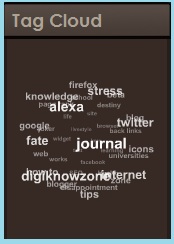
Some of you might have noticed some blogs that have animated revolving tag clouds just like this:So, what do I need that for? It's a good way for your readers to search for your blog posts according to their respective categories. I think this also reduces your site's bounce rates.
You'll also learn how you could modify it's dimensions so that you could fit it in your sidebars. Again, since I'm a using blogger, I'll be telling you how you could this through your blogger account. So here we go!
1. As all of the basics, login to your blogger account.
2. Go to your 'Design' tab, then click on the 'Edit HTML' sub-tab. Just to be safe, backup your
Sunday, August 1, 2010
How to - all in one badge
written by digiknowzone at 7:00:00 AM 9 comments
I myself have been wondering for a week now how I could get one of those floating all-in-one badges. Then one day, while surfing links, I found a site which has a similar floating all-in-one badge in his site(all the thanks to TSKSOFT). I asked how he got it, and thankfully, he provided me and it was all so easy.
"So, why should I bother install this anyways?", you might ask. So, here's one good reason why: it reduces your site's bounce rate. Now,
Saturday, July 31, 2010
Page Ranks
written by digiknowzone at 8:04:00 AM 38 comments
There are generally two types of page ranking(PR), Google PR and Alexa PR. What are they so important? Why you ask? This how advertisers look for sites to advertise. The higher your Google PR, the better your Alexa PR, the more advertisement you receive for your site and the more expensive they are. In short, these major factors decide what your site's revenue will be.
Google Page Rank
Google defines it as:
Google Page Rank
Google defines it as:
PageRank reflects our view of the importance of web pages by considering more than 500 million variables and 2 billion terms. Pages that we believe are important pages receive a higher PageRank and are more likely to appear at the top of the search results.