The title text area is pretty short, so what I'm trying to say is how you could maximize the bandwidth of your internet connection for your pc or laptop.
By default, Microsoft reserves the 20% of your available bandwidth for it's own 'secret' purposes, speculations say that it's probably for updates or checking up on your machine, we never know. Anyways, here's how you could get it back:
1. First, go to run and type: gpedit.msc
Showing posts with label tweaks. Show all posts
Friday, August 13, 2010
How to - UNrestrict Bandwidth
written by digiknowzone at 5:21:00 PM
Thursday, August 12, 2010
How to - Animated Tag Cloud
written by digiknowzone at 11:51:00 AM
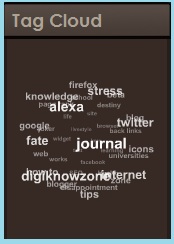
Some of you might have noticed some blogs that have animated revolving tag clouds just like this:So, what do I need that for? It's a good way for your readers to search for your blog posts according to their respective categories. I think this also reduces your site's bounce rates.
You'll also learn how you could modify it's dimensions so that you could fit it in your sidebars. Again, since I'm a using blogger, I'll be telling you how you could this through your blogger account. So here we go!
1. As all of the basics, login to your blogger account.
2. Go to your 'Design' tab, then click on the 'Edit HTML' sub-tab. Just to be safe, backup your
Tuesday, August 10, 2010
How to - change your blog icon
written by digiknowzone at 8:36:00 PM
The icon of your blog is essential. It's like a definition of your blog. It's also a good way for your readers who have bookmarked your blog, to easily find it in their favorites list. Oh, and by the way, you can simply click this: bookmark digiknowzone!
So were going to teach you how to turn this:
Into this:
First, you would need to generate your favicon. There are tons of sites on line, but


